and you’d be absolutely right. But hear me out.
What even is a NUC?
NUCs are tiny, fast, yet power-efficient full-blown PCs — in a form factor smaller than some
Tupperware boxes. Seriously. You could almost mistake one for a snack container if it weren’t
for all the ports. 😄
Inside, they typically use laptop-class hardware, but not the slow, outdated kind — we’re talking
modern components and surprisingly powerful processors.
If you don’t need a machine for high-end gaming, professional video editing, or other GPU-melting
workloads, a NUC is often an excellent choice.
Why choose a NUC instead of a laptop?
A classic use case: people who prefer a proper desk setup.
Compared to a traditional notebook, NUCs shine when you want to use a full-size monitor and a
real keyboard. For example, my mother: she clearly prefers a wide, classic keyboard and a big
24-inch display over any laptop. And honestly… I get it.
Hardware quality & driver support
Since NUCs usually come with branded components, driver support is excellent — both under
Windows and Linux. No obscure “mystery hardware” surprises, no late-night driver hunts.
Just install and go. 🧠✨
Noise & power consumption
Under full load, they can briefly get a bit loud — physics still exists, after all. But it’s
perfectly acceptable.
Most of the time, though, they’re whisper-quiet. And in idle mode? Ridiculously power-efficient.
Your electricity bill will barely notice they exist.
Media center potential
NUCs also make fantastic media centers.
Pair them with a Bluetooth keyboard (or a small remote-style one), and you can comfortably
control them from the couch — perfect for TV setups without needing a full desktop keyboard
on your coffee table.
What you need to add yourself
When buying a NUC, you’ll usually need to install a few components:
- M.2 SSD
- RAM
There are plenty of YouTube tutorials, and if you have even a bit of PC hardware experience,
the installation is typically done in minutes.
Connectivity & pricing
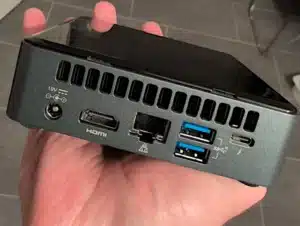
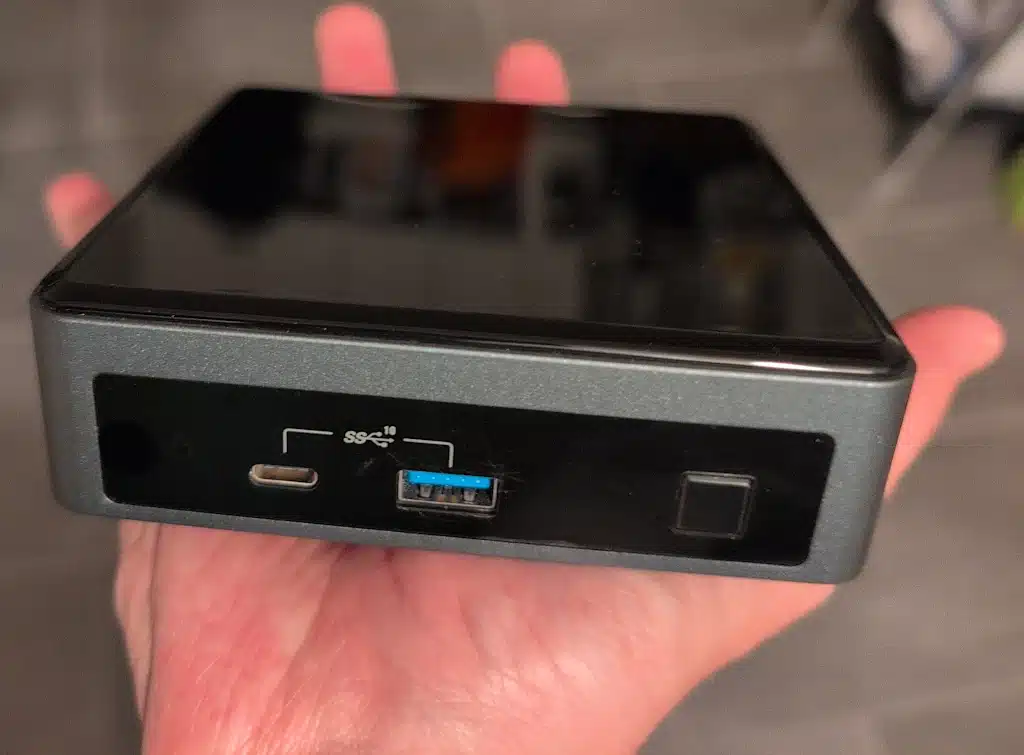
NUCs come with all the essential modern ports — including USB-C. Newer models even feature
multiple HDMI ports, making multi-monitor setups or direct TV connections especially easy.
Naturally, they still don’t offer quite as many ports as a full tower PC.
Price-wise, they usually start at around €300, but depending on configuration and performance
class, they can quickly climb toward €1,000.
Different variants for different needs
NUCs are available in multiple configurations and even in different chassis heights, depending
on cooling and component options. So whether you want ultra-compact minimalism or a slightly
beefier setup — there’s probably a NUC for it.
Conclusion
Small. Efficient. Surprisingly powerful.
A NUC is basically what happens when a laptop and a desktop PC have a very nerdy child. 🤓
And honestly? For many everyday scenarios, it’s exactly the kind of computer most people actually need.