
If you’re like me and want your Nextcloud to scream the moment something shady shows up in your files, then you’re probably using the Antivirus for Files app. But here’s the twist: for performance and true sysadmin joy, you don’t want clamscan. You want the big guns — the ClamAV Daemon using a local Unix socket.
⚙️ Step 1: Install ClamAV and the Daemon
sudo apt update
sudo apt install clamav clamav-daemon -y
This installs the scanner and the background daemon — the dream team of file hygiene.
🔄 Step 2: Update the Virus Definitions (Feed the Beast)
sudo systemctl stop clamav-freshclam
sudo freshclam
sudo systemctl start clamav-freshclam
Don’t scan with stale signatures. That’s like fighting dragons with butter knives.
🎩 Step 3: Start the Daemon
sudo systemctl enable clamav-daemon
sudo systemctl start clamav-daemon
sudo systemctl status clamav-daemon
At this point, the daemon should be purring quietly in the background, waiting to strike at evil bits and bytes.
📎 Step 4: Check the Socket
ls -l /var/run/clamav/clamd.ctlThis is the local Unix socket that clamdscan uses to talk to clamd. It’s like a high-speed private hotline just for your cloud’s immune system.
👤 Step 5: Give Nextcloud Access to the Socket
sudo usermod -a -G clamav www-data
sudo systemctl restart clamav-daemon
sudo systemctl restart apache2   # or nginx/php-fpm depending on your setup
This lets the webserver access the socket — no root privileges required, just proper group membership.
🔌 Step 6: Configure the Antivirus App in Nextcloud
- Mode: ClamAV Daemon (Socket)
- Socket: /var/run/clamav/clamd.ctl
🧪 Step 7: Test Like a Nerd
wget https://secure.eicar.org/eicar.com.txt -O /tmp/eicar.txt
clamdscan /tmp/eicar.txt
Expected result:
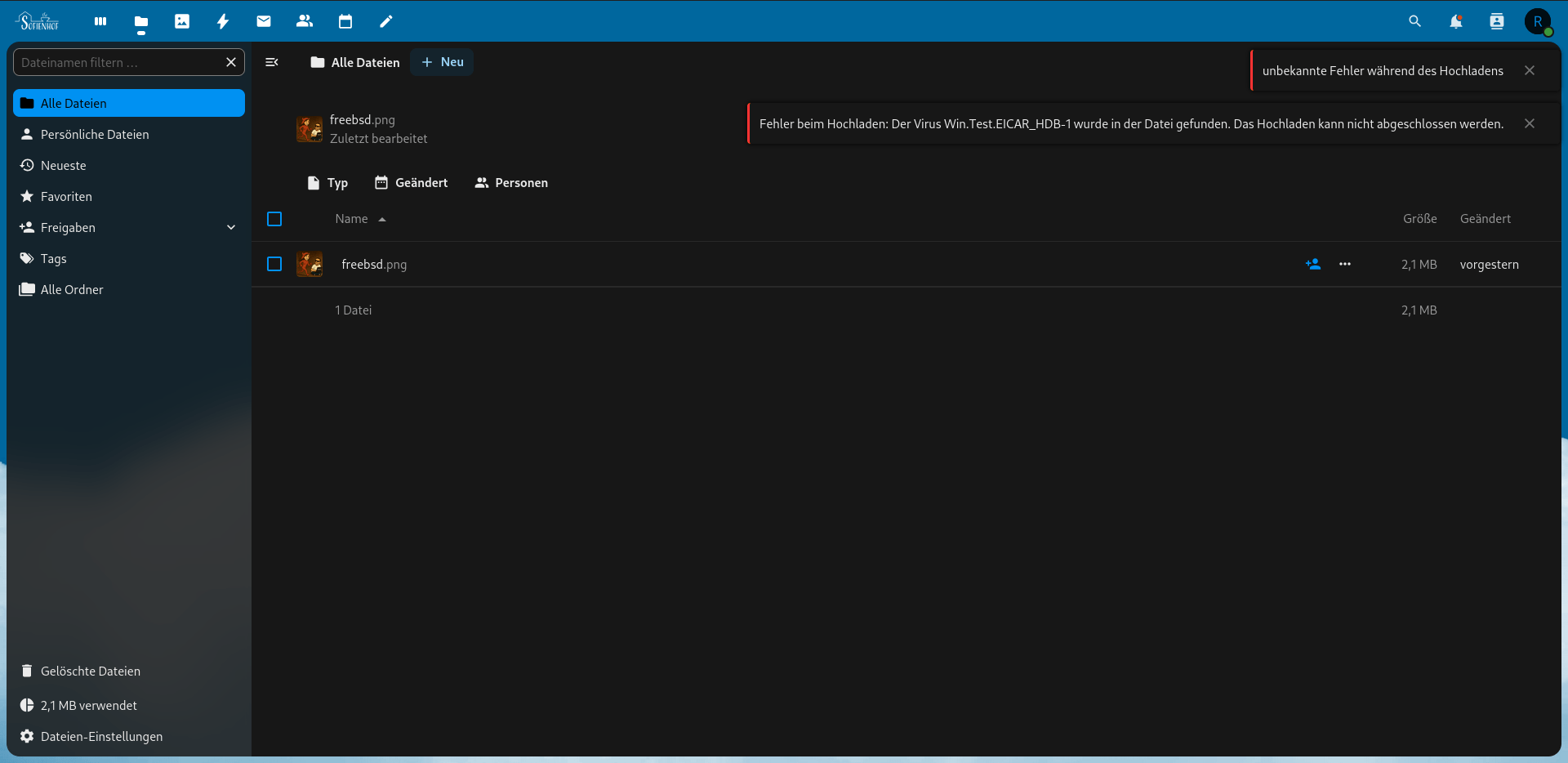
/tmp/eicar.txt: Eicar-Test-Signature FOUNDIf you see this, your setup is working beautifully. 👌
💌 Optional: Tune Antivirus Settings in Nextcloud
- “Action when infected files are found”: set to
Block - “Block encrypted archives”: enable to avoid sneaky zip bombs
- Make sure your Nextcloud is using cron for background scanning
✅ Final Thoughts
No TCP, no containers, no drama — just a good old-fashioned local daemon scanning your files like it’s 1999. Reliable. Fast. Nerd-approved.
Mission status: virus slayer operational. 🧠⚔️