


Well… it happened again 😄
After writing the original plan and thinking about the architecture for a while, I started questioning some of my decisions. That’s the nice thing about a homelab: nothing is set in stone. The whole point is to iterate, learn, and sometimes rebuild everything from scratch.
So yes — the rebuild plan has changed. Again.
It really feels like that classic Monopoly moment — standing in front of the board, landing on “Go back to Start,” grumbling, and realizing you have to rebuild everything from scratch… 😅🎲
🪟 Windows Actually Worked Great
Running Windows 11 on my desktops worked extremely well. Hardware support was excellent, drivers were available for everything, and integration with Windows Server infrastructure worked as expected. Active Directory, DNS, file shares, and GPOs are still a very mature ecosystem and technically everything worked perfectly.
In fact, I ran this Windows setup for weeks without any issues. I had seriously considered building a hybrid home IT infrastructure with Windows 11 and Windows Server for clients and server services, while also running Linux and Kubernetes for other workloads.
However, I realized that I want to move back to Linux as the core of my homelab. Linux is simply more familiar to me — I have accumulated much deeper expertise over the years. Windows and Windows Server belong to a different realm, one where I never had extensive hands-on experience, and I don’t want to open a new “project” in that area right now. Maybe in another life. 😄
So this is not a story of “Windows failed” — it worked brilliantly. But for my personal homelab path, Linux will be the main focus. 🐧
🌍 Back to Linux & Digital Sovereignty
My homelab is closely tied to a few personal principles:
- 🐧 Open source software
- 🔐 Control over my own infrastructure
- 🌍 Reducing dependency on large US-centric ecosystems
- 🧠 Learning technologies aligned with modern Linux platforms
While Windows works great, it slowly pulls the infrastructure back into the Microsoft ecosystem. For my personal learning path and philosophy, I prefer to stay in the open-source world.
So Microsoft is leaving the homelab again. Completely. 🐧
🧠 Another Observation: My Third Server Was Bored
When reviewing the original design I noticed that one of my servers would mostly sit idle. Running a dedicated machine only for storage and a few services doesn’t justify the hardware.
Servers should sweat a little. 💻🔥
Instead of having fixed roles for each physical machine, I decided to move to a more flexible architecture.
🧱 Proxmox Cluster Setup – No Shared Filesystem
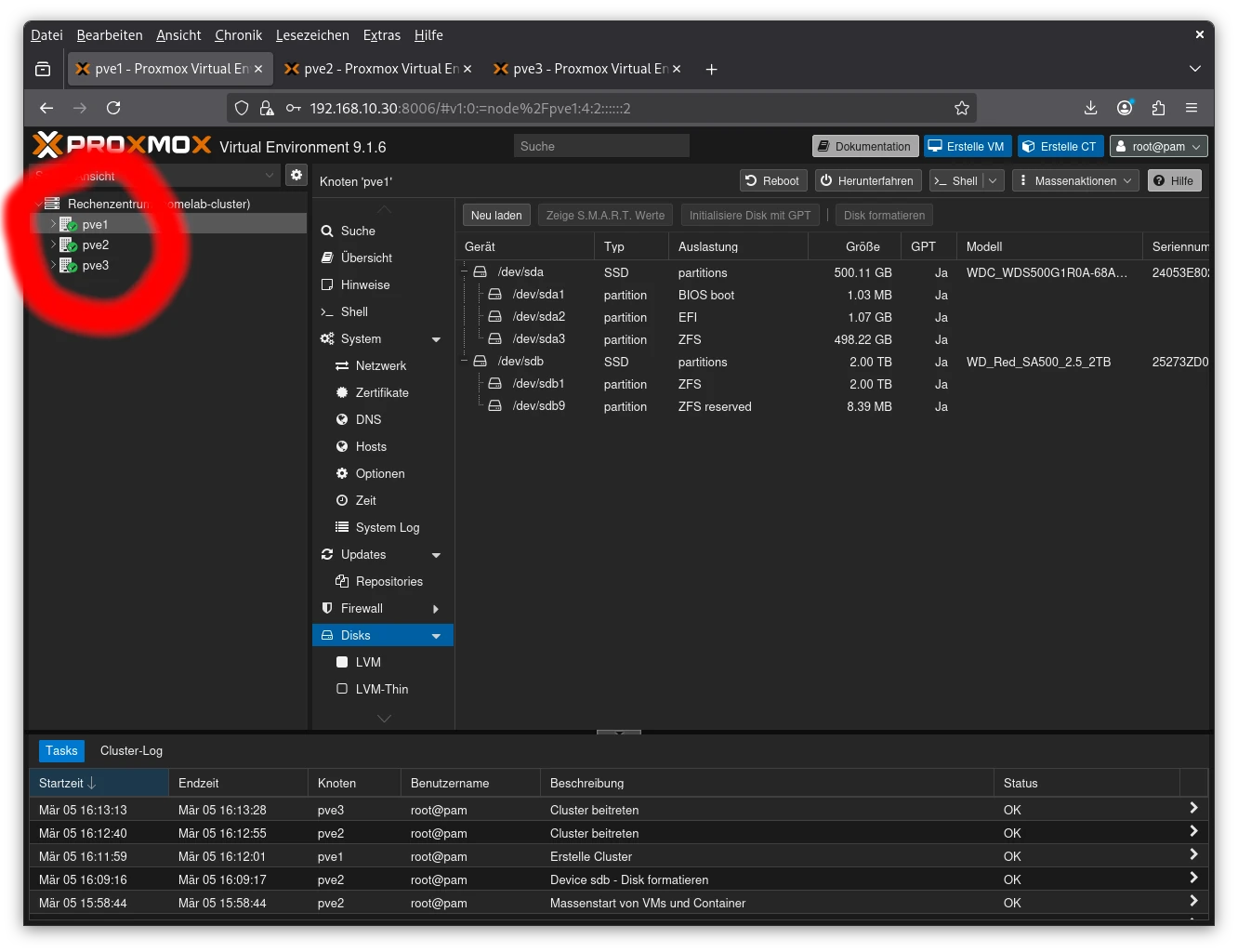
For my homelab, I’m setting up a three-node Proxmox cluster, but I’m not going for a distributed filesystem like CephFS. Each node will use its local SSD storage for VM data. One of my servers is equipped with a RAID5 pool for larger storage, but I’m willing to make some trade-offs there.
Another reason to skip CephFS: my home LAN runs at only 1 Gbit/s, which is far below the recommended bandwidth for CephFS performance (typically >10 Gbit/s). So a shared storage cluster would just be a bottleneck rather than a benefit.
The main reason for the cluster is centralized management — a single login GUI for all three servers. Later, I also plan to migrate VMs between nodes in an offline mode to balance workloads and improve hardware utilization without touching the shared storage.
In short: cluster = convenience + flexibility, not distributed storage. 💻⚡
🖥️ Hardware & Server Architecture
| Hostname | Role | Hardware |
|---|---|---|
| PVE1 | Proxmox Cluster Node | HP DL20 Gen10+ |
| PVE2 | Proxmox Cluster Node | HP DL20 Gen10+ |
| PVE3 | Proxmox Cluster Node + VM storage | HP MicroServer Gen10+ V2 |
All nodes now participate fully in the cluster, providing compute and storage as needed.
💾 Proxmox Installation: OS Disk ZFS
For the Proxmox hosts themselves, I chose ZFS for the operating system disk.
- Filesystem options: ext4, XFS, ZFS → chose ZFS
- Single SSD per host for OS
- RAID0 pool (single disk, no redundancy) for VMs
ZFS brings enterprise-grade storage features even to a small homelab. 💾
⚙️ ZFS Settings
- Compression: lz4 → fast, minimal CPU overhead, saves 20–40% storage
- Ashift: 12 → 4K blocks, best for modern SSDs
- Checksums: enabled → protects against silent corruption (Bitrot)
🧹 Enable SSD TRIM
zpool set autotrim=on vmdataMaintains SSD performance over time by reclaiming unused blocks. 🚀
🧠 Proxmox Node 1 (PVE1)
- System: HP DL20 Gen10+
- RAM: 64 GB
- iLO: 192.168.10.29
- Proxmox Host: 192.168.10.30
Storage
- 512 GB SSD – OS / infrastructure VMs
- 2 TB SSD – VM data (ZFS RAID0 pool)
Infrastructure VMs
| VM | IP | OS | Role |
|---|---|---|---|
| VM11 | 192.168.10.31 | Debian | NAS SMB / rsync / PiHole |
| VM12 | 192.168.10.32 | Debian | GitLab |
| VM13 | 192.168.10.33 | Debian | unused |
☸️ Kubernetes Cluster – Part 1
| VM | IP | Role |
|---|---|---|
| VM14 | 192.168.10.34 | MASTER1 |
| VM15 | 192.168.10.35 | WORKER1 |
🧠 Proxmox Node 2 (PVE2)
- System: HP DL20 Gen10+
- RAM: 32 GB
- iLO: 192.168.10.39
- Proxmox Host: 192.168.10.40
Storage
- 512 GB SSD – OS / infrastructure VMs
- 2 TB SSD – VM data (ZFS RAID0 pool)
Infrastructure VMs
| VM | IP | OS | Role |
|---|---|---|---|
| VM21 | 192.168.10.31 | Debian | unused |
| VM22 | 192.168.10.32 | Debian | unused |
| VM23 | 192.168.10.33 | Debian | unused |
☸️ Kubernetes Cluster – Part 2
| VM | IP | Role |
|---|---|---|
| VM24 | 192.168.10.44 | MASTER2 |
| VM25 | 192.168.10.45 | WORKER2 |
🧠 Proxmox Node 3 (PVE3)
- System: HP MicroServer Gen10+ V2
- Role: Proxmox cluster node + VM storage
Storage
- 3×2 TB SSDs – ZFS RAIDZ1 pool
Infrastructure Services
| VM | IP | OS | Role |
|---|---|---|---|
| VM31 | 192.168.10.51 | Debian | Proxmox Backup |
| VM32 | 192.168.10.52 | Debian | unused |
| VM33 | 192.168.10.53 | Debian | unused |
☸️ Kubernetes Cluster – Part 3
| VM | IP | Role |
|---|---|---|
| VM34 | 192.168.10.54 | MASTER3 |
| VM35 | 192.168.10.55 | WORKER3 |
💾 Creating ZFS Pools for VM Storage
Summary of storage pools:
- PVE1 & PVE2 → single SSD, ZFS RAID0 (no redundancy)
- PVE3 → single SSD, ZFS RAID0 (no redundancy) + three SSDs, ZFS RAIDZ1 (parity-protected)
See the previous sections for full commands and tuning (lz4 compression, ashift=12, checksums on, atime off).
🏁 Cluster & Offline VM Migration
All three nodes are now part of a single Proxmox cluster. Each keeps its local ZFS pool — no shared storage is required. Offline migration of VMs allows workload balancing and better hardware utilization, while the central GUI provides convenience for management. 💻⚡
🔁 Planning VM Replication & Backup
In the next post, I’ll dive into VM replication and backup:
- Replicate all VMs from PVE1 → PVE2 and vice versa
- Backup all VMs to the Proxmox Backup Server on PVE3
Right now I’m considering Terraform to redeploy VMs first. Replication will follow. The main benefits of replication: faster VM startup when moving workloads and additional redundancy before backups. 😎
🏁 Updated Conclusion
- 🐧 Linux-only infrastructure
- 🧱 3-node Proxmox cluster
- ☸️ Kubernetes as central learning platform
- 📦 Better hardware utilization
- 🧠 Strong focus on open-source tooling
Less Microsoft. More Linux. More containers.
The sentence “this will be the final homelab architecture” is usually the beginning of the next rebuild. 😄